
An account at Chase, another at Nubank — and nothing adds them up.
You never really know how much you have, because half is in reais and half in dollars.
For people living in the U.S. with money in Brazil
Accounts in both countries, U.S. credit cards and your monthly spending — all converted at each month's exchange rate, in a dashboard you understand in a minute. No spreadsheet.
No credit card needed to try. Cancel anytime.
September PTAX dollar rate: R$ 5.1575 · from Brazil's Central Bank
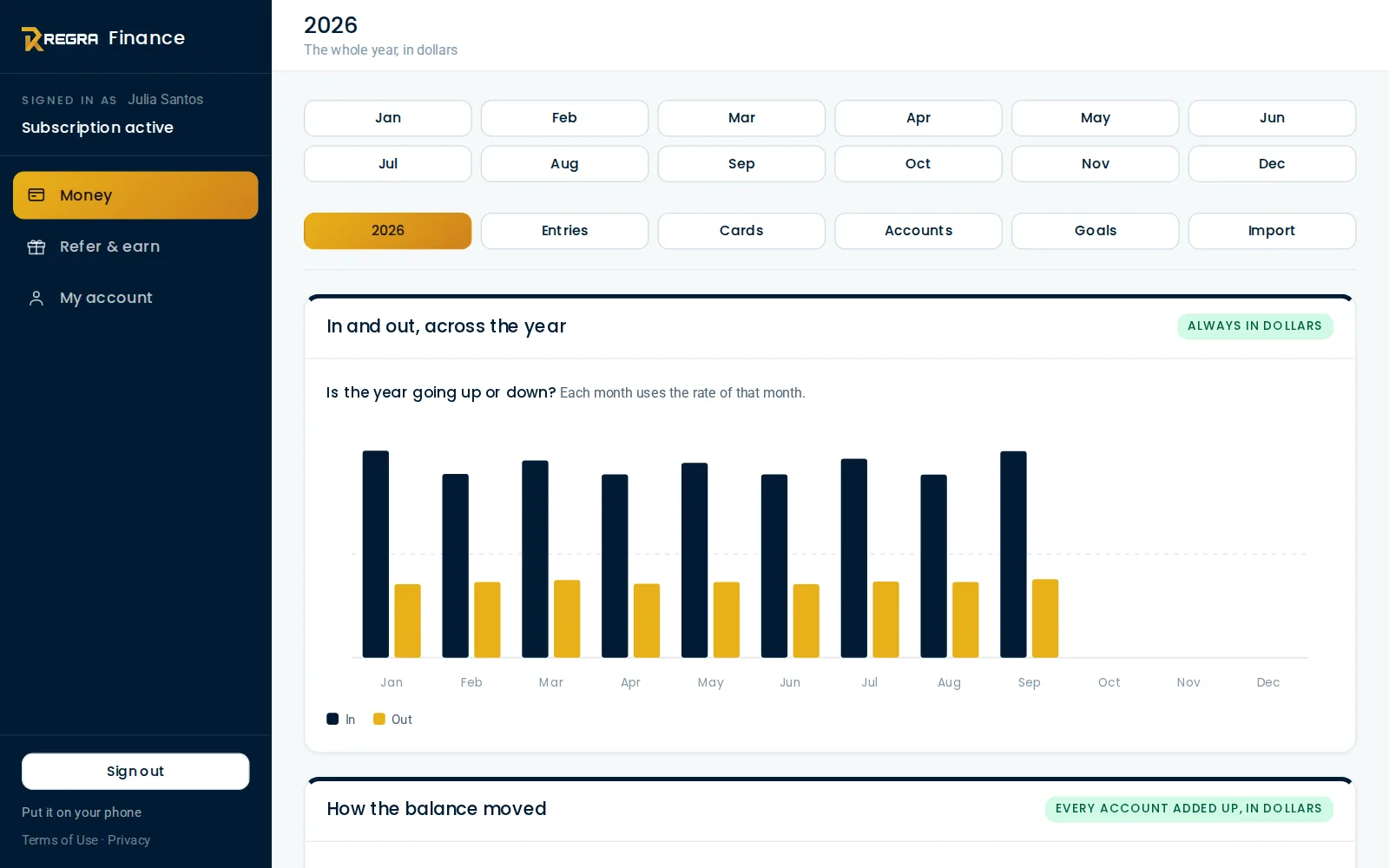
If you live here and still have money back home
You never really know how much you have, because half is in reais and half in dollars.
In the U.S., credit utilization weighs on your score — and you only notice when the statement closes.
Two currencies, a rate that changes every month, formulas that break. No one keeps it up.
How it works
Chase, Bank of America, Nubank, Inter — each account in its own currency. Cards with their limit and due date.
In dollars or reais, the way it happened. The app converts at the month's rate — the official PTAX, or one you type.
What's left over, where the money went, which cards need attention and how your balance changes month by month.
Features
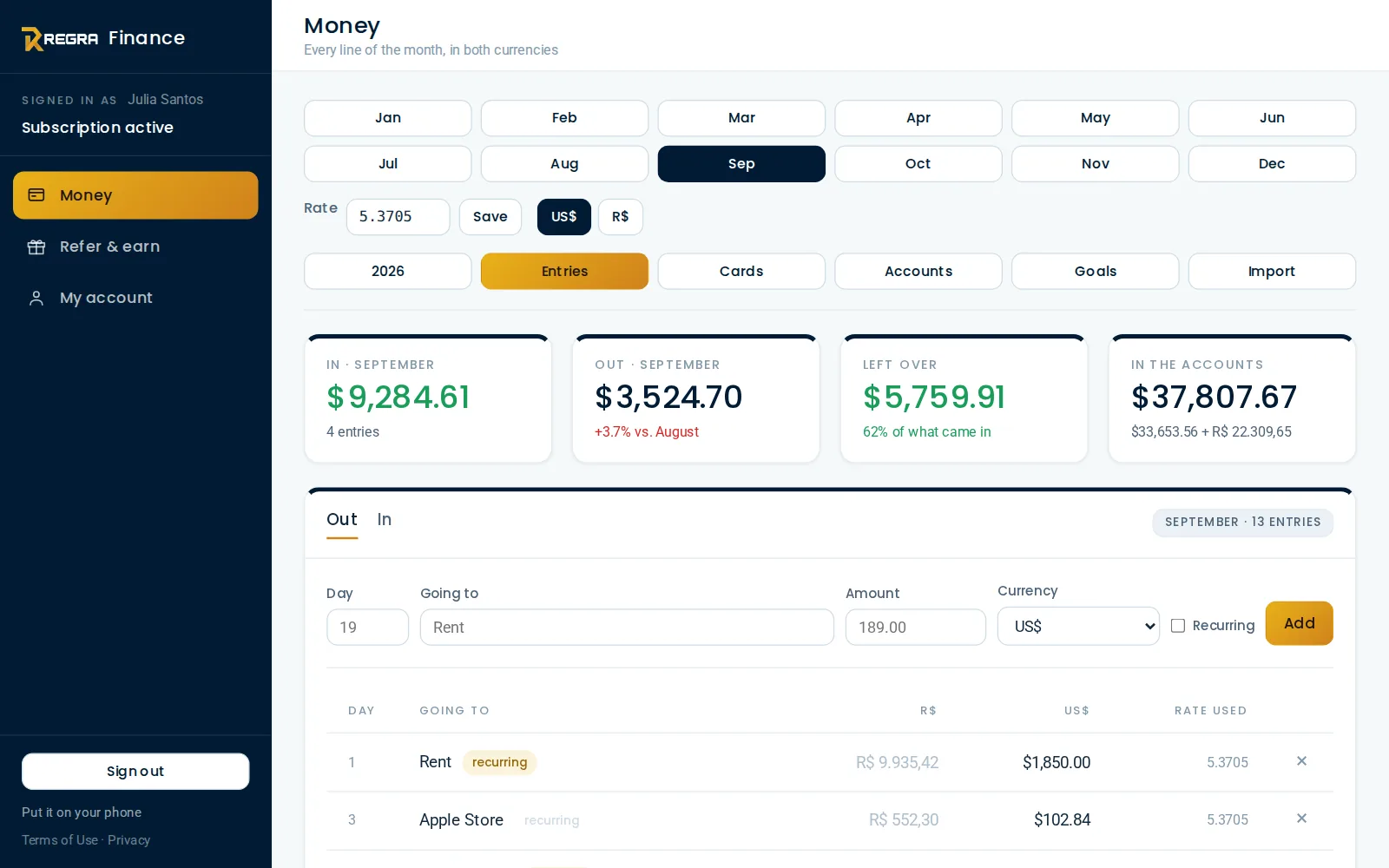
Dollars and reais side by side
Each amount is converted once, at that month's rate, and then frozen — your history does not change when the dollar moves. The year summary is always in dollars, so every month is measured with the same ruler.
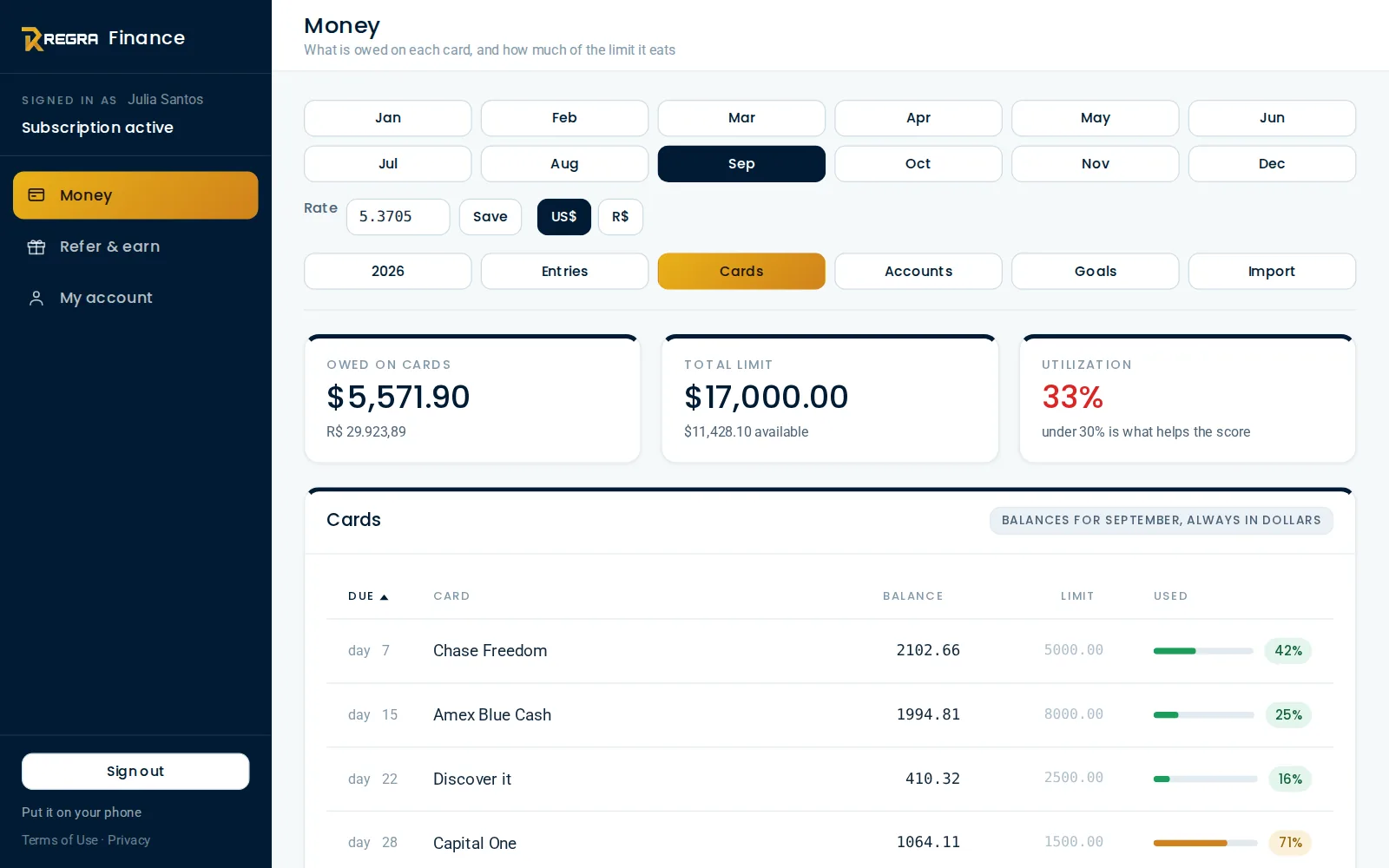
Credit cards and score
Each card shows how much of its limit is in use — under 30% is what helps a U.S. credit score. Sort by due date, balance, limit or usage.
Combined balance in dollars or reais, and how your net worth moves through the year.
Split what came in between savings, investing, giving and living costs, and see how much fits in each every month.
Add it to your iPhone or Android home screen. No app store, no download.
Everyone picks their app language — and can change it anytime.
Why it exists
“I ran my life between Brazil and the U.S. on a spreadsheet. REGRA Finance is that spreadsheet, without the work.”
Renata, founder of REGRA Finance
It had five tabs: expenses, income, investments, cards and a summary. Twelve columns a month, reais on one side and dollars on the other, and the exchange rate typed by hand to make it all add up.
It worked — until it became too much work. REGRA Finance keeps exactly that structure, does the math for you and shows what matters: what came in, what went out, what's left and what needs attention.
Pricing
No card needed to try. Pay with PayPal, using a card or your PayPal balance. Cancel anytime, right in the app.
Billed every month.
Works out to $4.08 a month.
Prices in U.S. dollars. Your plan renews automatically until you cancel; after canceling, you keep access until the end of the period you paid for.
Every user gets a referral link. Anyone who subscribes through yours earns you $3.00 for a monthly plan or $10.00 for an annual one, paid through PayPal on the first Monday after 10 days from their first payment. You get an email for every sign-up.
FAQ
No. Create your account with an email and password and use everything during the free trial. Only afterwards, if you want to keep going, you pick a plan and pay with PayPal.
No. You enter amounts and balances yourself; REGRA Finance never asks for your bank password or access to your accounts. Less risk, and you decide what goes in.
For the Brazilian real, the app pulls the Central Bank PTAX selling rate every day and uses it for any month that has no rate yet. If you prefer another value — the one from your own exchange, for example — just type it. Each entry is converted once and frozen, so changing the rate never rewrites what is already there.
Yes. You pick the second currency when you sign up — Mexican peso, euro, pound and many more. The automatic rate (PTAX) exists only for the Brazilian real; for other currencies you type each month's rate.
Yes. You choose the currency of each entry, and the month screens switch between the two currencies with one tap. If everything you have is in the U.S., using dollars only works fine.
Each account only sees its own data, the connection is always encrypted (https) and passwords are stored with one-way encryption — not even administrators can read them. Payment happens at PayPal: the app never sees your card number.
Cancel anytime under My account and keep using the app until the end of the period you paid for. Your data stays there; if you want everything erased, the delete-account option is on the same screen.
No. It is a tool to organize and see your money. Decisions about investments, taxes and credit are still yours — with professional help when needed.
Yes, with an icon on your home screen, like an app. On Android, Chrome offers to install it; on iPhone, it is Share → Add to Home Screen, in Safari. It is not an app-store app and it needs internet — the steps are in “Put it on your phone”.
No credit card needed to try.
Start 7 days free